
Classroom buying guide · UK
SMART Board vs ViewSonic ViewBoard
Keep SMART on your shortlist if your teachers rely on Notebook and Ink. Consider ViewSonic IFP51 if myViewBoard and its audio features suit your rooms. Compare the exact models, teaching workflow and complete installed cost.
By TopAV · Meet the team · Updated
Current UK product prices
Current catalogue prices, including VAT, for the display only. Delivery and installation depend on the order. Prices can change; check the product page and your itemised quote. The larger model is not necessarily the more expensive option.
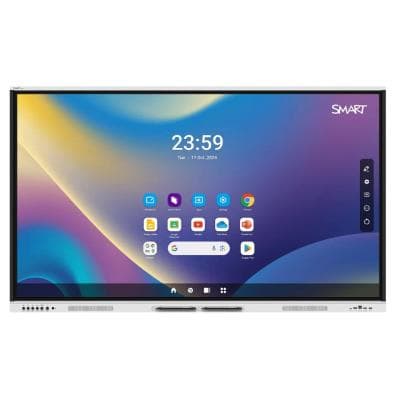
GX165G-V4-5A
SMART Board GX065-V4 Plus 65" Interactive Display
£1,979.95 inc. VAT
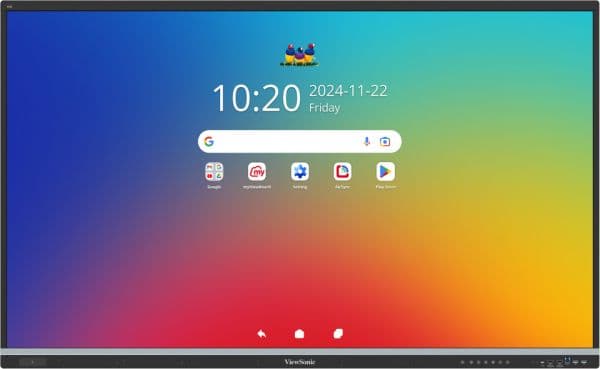
IFP6551-3C
ViewSonic IFP6551-3C 65-inch 4K ViewBoard Interactive Display
£2,467.22 inc. VAT
We have not assumed ViewSonic is the cheaper option. Compare the displayed prices and explain which additional features you need. Ask for the warranty duration, service method, registration conditions and any paid software in writing; extended cover is not automatically included.
Buying for several rooms?
Compare SMART GX165G-V4-5A and ViewSonic IFP6551-3C with the same mounting, installation, software and support requirements.
Ask for a tailored comparison quoteWhich display fits your school?
Consider SMART GX Plus
Continuity with your teaching tools
If teachers already build lessons in SMART Notebook or annotate from a Windows or Mac computer with SMART Ink, start by checking whether keeping that workflow reduces change and training. SMART lists Notebook, Ink and Mirror among the included tools.
Also test simultaneous writing, moving objects and erasing if group work matters. A maximum touch-point count does not describe that whole experience.
Consider ViewSonic IFP51
A fit for your classroom workflow
If myViewBoard suits your lessons, compare how staff sign in, share material and move between rooms. The IFP6551-3C also lists a built-in microphone array and a 70W average-output audio system.
Those features only add value if you use them. Ask us to demonstrate the software and quote the exact configuration, rather than choosing on the longest feature list.
A school starting fresh should trial both workflows. A school standardising many rooms should include account management, staff training, support and replacement arrangements in the decision.
Compare specific 65-inch models
This table compares the SMART GX165G-V4 GMS configuration with the ViewSonic IFP6551-3C. TopAV currently lists the SMART order code GX165G-V4-5A; confirm the package and warranty terms in your quote. Older GX models, GX Zero OS-free displays and other ViewBoard series are different products. Some catalogue URLs retain older model wording: check the current SKU.
Published specifications: 65-inch classroom shortlist
Image
- SMART GX Plus · GX165G-V4
- 65-inch, 4K UHD
- ViewSonic · IFP6551-3C
- 65-inch, 4K UHD
Google apps
- SMART GX Plus · GX165G-V4
- GMS configuration: Google Play access
- ViewSonic · IFP6551-3C
- EDLA certified: Google Play access
Touch
- SMART GX Plus · GX165G-V4
- Up to 50 points; operating-system dependent
- ViewSonic · IFP6551-3C
- 50 points listed for Android and Windows
Front USB-C
- SMART GX Plus · GX165G-V4
- Video, audio, touch; up to 65W charging
- ViewSonic · IFP6551-3C
- Video, touch; up to 65W charging
Teaching software
- SMART GX Plus · GX165G-V4
- SMART Notebook, SMART Ink and SMART Mirror
- ViewSonic · IFP6551-3C
- myViewBoard and AirSync
Why software matters
- SMART GX Plus · GX165G-V4
- Check that existing lessons, annotations and staff training carry across.
- ViewSonic · IFP6551-3C
- Trial lesson files, staff sign-in and sharing before changing your workflow.
Published audio
- SMART GX Plus · GX165G-V4
- Two 20W speakers
- ViewSonic · IFP6551-3C
- 70W average output; built-in 8-mic array
Why audio matters
- SMART GX Plus · GX165G-V4
- Try spoken content from the back of the room; wattage alone does not establish clarity.
- ViewSonic · IFP6551-3C
- Check whether built-in microphones fit your recording or call setup; confirm app compatibility.
What needs confirmation
- SMART GX Plus · GX165G-V4
- Order-code suffix, regional warranty and any paid software
- ViewSonic · IFP6551-3C
- Supplied RAM/Android version, regional warranty and paid management features
| What to compare | SMART GX Plus · GX165G-V4 | ViewSonic · IFP6551-3C |
|---|---|---|
| Image | 65-inch, 4K UHD | 65-inch, 4K UHD |
| Google apps | GMS configuration: Google Play access | EDLA certified: Google Play access |
| Touch | Up to 50 points; operating-system dependent | 50 points listed for Android and Windows |
| Front USB-C | Video, audio, touch; up to 65W charging | Video, touch; up to 65W charging |
| Teaching software | SMART Notebook, SMART Ink and SMART Mirror | myViewBoard and AirSync |
| Why software matters | Check that existing lessons, annotations and staff training carry across. | Trial lesson files, staff sign-in and sharing before changing your workflow. |
| Published audio | Two 20W speakers | 70W average output; built-in 8-mic array |
| Why audio matters | Try spoken content from the back of the room; wattage alone does not establish clarity. | Check whether built-in microphones fit your recording or call setup; confirm app compatibility. |
| What needs confirmation | Order-code suffix, regional warranty and any paid software | Supplied RAM/Android version, regional warranty and paid management features |
Sources: SMART specifications, SMART software and ViewSonic UK. A USB-C laptop and cable must support the required functions. A laptop needing more than 65W may need its own charger.
Ask for a demonstration that reflects your day
1. Open a real lesson
Bring a typical lesson file, a PDF with small text and any embedded video. Check fonts, annotations and saving back to the location staff actually use.
2. Connect your teaching laptop
Use the laptop model and operating system deployed in school. Check touch, charging, sound and reconnecting after sleep, with the proposed cable length.
3. Try the classroom accounts
Ask the IT team to test sign-in, sign-out, app permissions and guest use. Check what the next teacher can see when someone finishes a lesson.
4. Compare a complete room
Request the same mount or trolley, cable work, installation, software and support scope for both options. Include training where staff will change workflow.
For a smaller room, the right 65-inch screen may be enough. In a longer classroom, choosing the right brand will not compensate for text that is too small. Compare 65, 75 and 86-inch sizes before finalising the shortlist.
Get a quote for your rooms
Common buying questions
Is SMART Board or ViewSonic better for a school?
Neither is the automatic choice for every school. Shortlist SMART GX Plus if retaining SMART Notebook and SMART Ink is important. Shortlist ViewSonic IFP51 if its myViewBoard workflow and hardware match your requirements. Test your own teaching files, logins and laptops, then compare the complete installed cost.
Do both displays support Google apps?
The EDLA-licensed SMART GX Plus GMS configuration and ViewSonic IFP51 models discussed here provide Google Play access. Do not apply this to every SMART GX or ViewBoard model. Confirm the exact order code, supplied configuration and your school’s account and app policies.
Can we keep using existing SMART lessons?
Test representative lessons, fonts, embedded media and annotation workflows before changing display brands. Having a file on another screen is not the same as retaining every software feature or licence entitlement. Ask for a demonstration using your own files.
Does a comparison price include installation?
The product prices shown here include VAT but are for the listed displays. Ask for an itemised quote covering delivery, mounting, cabling, installation, optional computers or cameras, software and support. A hardware-price difference alone does not establish the cheapest complete classroom.
Sources and how we compare
Specifications were checked against the sources below on 13 September 2026. Recommendations are TopAV’s interpretation of published information and purchasing requirements, not results from a hands-on comparison test. Product prices and availability in this guide come from the current catalogue; confirm the full supplied specification and quote before ordering.
TopAV is part of StriveAV and is a ViewSonic Platinum Tier 1 Partner. We sell multiple display brands. Our customer map documents organisation supply records across brands; these are not product reviews or endorsements.