
Classroom buying guide · UK
Promethean ActivPanel vs SMART Board for schools
Start with the lessons your teachers already use. Compare ActivInspire and ActivSuite with SMART Notebook and Ink, then price complete classroom setups with the computer and support each requires.
By TopAV · Meet the team · Updated
Compare complete 65-inch setups
These current TopAV listings show specific products, not equivalent computer configurations. SMART GX Plus has embedded Android. The standard ActivPanel 10 panel has no operating system; the Premium bundle shown includes an OPS-A2 Android module. Check the live card and itemised quote for the exact SKU, module, software and warranty before comparing totals.
Current catalogue prices, including VAT, for the display only. Delivery and installation depend on the order. Prices can change; check the product page and your itemised quote. The larger model is not necessarily the more expensive option.
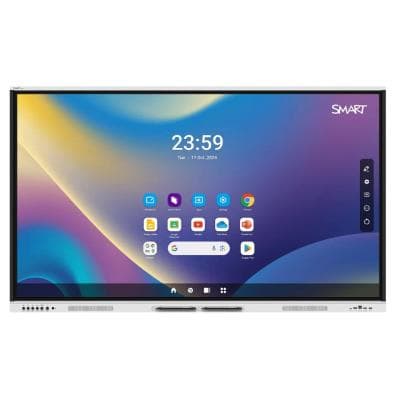
GX165G-V4-5A
SMART Board GX065-V4 Plus 65" Interactive Display
£1,979.95 inc. VAT
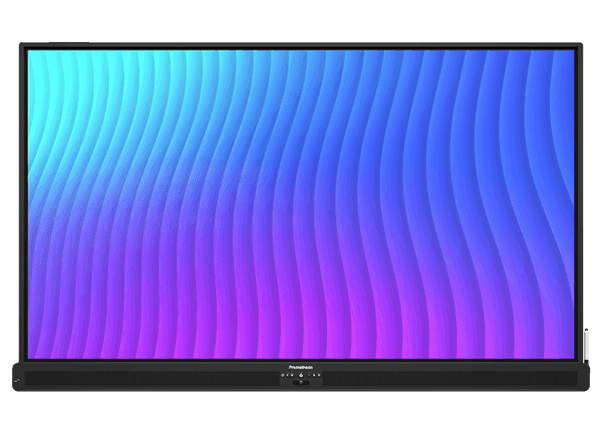
AP10-A65-EU-1
Promethean 65" ActivPanel 10 Interactive Display Android FREE
£1,629.00 inc. VAT
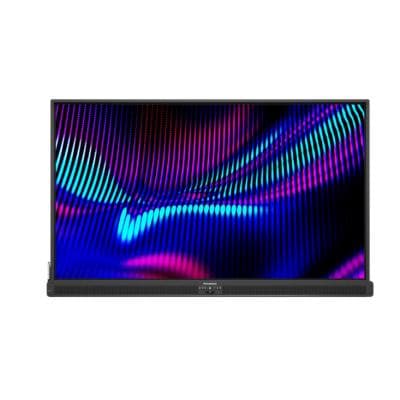
AP10-B65-EU-1*OPS-A2-8R64S
Promethean ActivPanel 10 Premium 65"bundle with OPS-A2
£2,671.40 inc. VAT
Buying for several rooms?
Compare SMART GX165G-V4-5A and Promethean ActivPanel 10 configurations with the same mounting, installation, software and support requirements.
Ask for a tailored comparison quoteStart with the lessons teachers already use
Consider Promethean
ActivInspire and ActivSuite
If teachers depend on ActivInspire flipcharts, use their own lessons to check opening, embedded media, annotation and saving. Promethean lists ActivSuite and one ActivInspire Professional single-user licence with ActivPanel 10. Confirm the supplied seats and the experience on your chosen computer.
Consider SMART
Notebook and Ink
If teachers build lessons in SMART Notebook or annotate from a Windows or Mac laptop with SMART Ink, test whether that familiar workflow carries into the new rooms. SMART lists Notebook, Ink and Mirror as included with GX Plus; check whether any optional features need licences.
Do not assume an ActivInspire or Notebook file retains every interactive feature on another platform. A school starting fresh should ask teachers to deliver the same lesson on both systems and record what needs help.
Where does the classroom computer live?
Published platform choices for the shortlisted models
Walk-up use
- SMART GX Plus
- Embedded Android with Google EDLA access
- Promethean ActivPanel 10
- Choose a connected computer or compatible Android, Windows or Chrome module
Desktop teaching tools
- SMART GX Plus
- Notebook and Ink on a compatible teacher computer
- Promethean ActivPanel 10
- ActivInspire on the chosen compatible computer
What to quote
- SMART GX Plus
- Board, laptop connection, mounting and support
- Promethean ActivPanel 10
- Panel, specified computer or OPS module, mounting and support
What to check
- SMART GX Plus
- Managed sign-in, app access, Ink on the school laptop and any optional licences
- Promethean ActivPanel 10
- Exact OPS or connected computer, licence seats, updates and staff sign-out
| Decision | SMART GX Plus | Promethean ActivPanel 10 |
|---|---|---|
| Walk-up use | Embedded Android with Google EDLA access | Choose a connected computer or compatible Android, Windows or Chrome module |
| Desktop teaching tools | Notebook and Ink on a compatible teacher computer | ActivInspire on the chosen compatible computer |
| What to quote | Board, laptop connection, mounting and support | Panel, specified computer or OPS module, mounting and support |
| What to check | Managed sign-in, app access, Ink on the school laptop and any optional licences | Exact OPS or connected computer, licence seats, updates and staff sign-out |
Promethean also offers a Premium panel with different image, audio and touch features. Compare it with an appropriately specified SMART MX or RX model when those premium features matter; do not treat a panel-only quote as a complete Android classroom.
Ask for a demonstration that reflects your day
1. Open a real lesson
Bring a recent flipchart or Notebook file, a PDF with small text and embedded video. Check editing and saving.
2. Connect the teaching laptop
Test touch, sound, charging and reconnecting after sleep with the cable and laptop model used in school.
3. Try staff and pupil interactions
Test managed sign-in, sign-out, guest use, simultaneous tools and what the next teacher can see.
4. Price a complete room
Request the same size, mounting, cabling, computer, installation, training and support scope for each option.
Check the view from the back row as well as reach at the board. Compare screen sizes before standardising a whole-school order.
Get a quote for your rooms
Common buying questions
Should a school with ActivInspire lessons choose Promethean?
Keep Promethean on the shortlist and trial representative flipcharts, embedded media and saving with the proposed ActivPanel computer. Existing files and staff familiarity are useful advantages, but they do not establish that every classroom requirement is met.
Should a school with SMART Notebook lessons choose SMART?
Keep SMART on the shortlist and test the actual Notebook files and SMART Ink workflow used by teachers. Confirm any optional software licences and how staff will use their laptops.
Does ActivPanel 10 include Android?
The ActivPanel 10 panel itself has no operating system. Android is available through a compatible OPS-A module, which may be sold as part of a bundle. Confirm the exact supplied module on the quote.
Is the lower panel price the cheaper classroom?
Not necessarily. Compare the same screen size with the computer, mounting, cabling, installation, software, training and support each room requires.
Sources and how we compare
Specifications were checked against the sources below on 13 September 2026. Recommendations are TopAV’s interpretation of published information and purchasing requirements, not results from a hands-on comparison test. Product prices and availability in this guide come from the current catalogue; confirm the full supplied specification and quote before ordering.
TopAV is part of StriveAV and is a ViewSonic Platinum Tier 1 Partner. We sell multiple display brands. Our customer map documents organisation supply records across brands; these are not product reviews or endorsements.