
 Ready kiosk
Visitor sign-in kiosk
Swap the paper visitor book for an electronic sign-in system. An Android touch screen on a stand or wall, a badge printer and a webcam, ready to run MassVisit by Mass Coms out of the box.
- Visitors, staff and contractors sign in and out
- Visitor badges print with a QR code
- Who is on site, ready for fire roll call
How the visitor sign-in kiosk works
A few taps at reception and your visitor is signed in with a badge, and on the list of who is on site. These are the real MassVisit screens the kiosk runs.
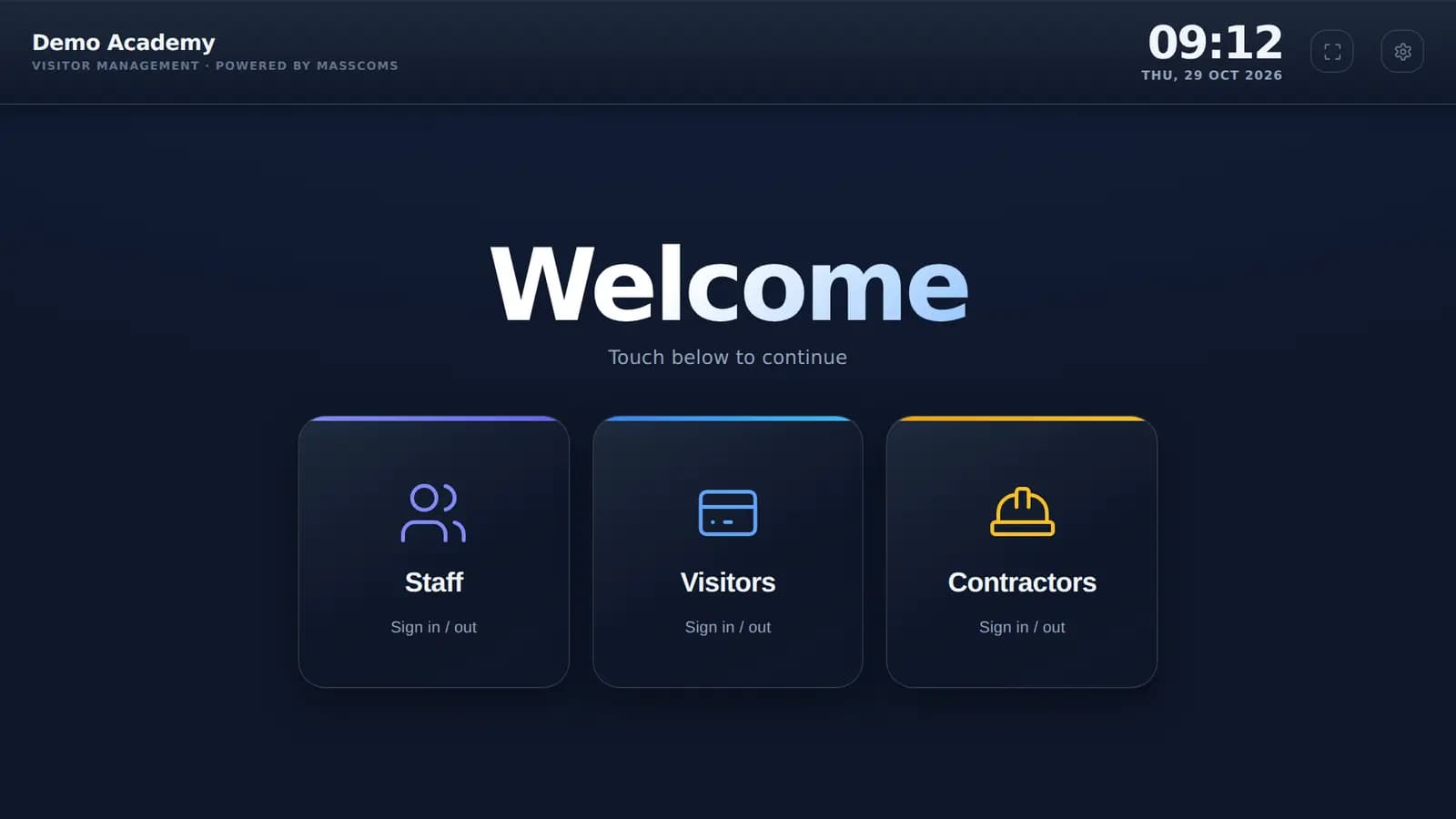 1
1Staff, visitors and contractors each have their own button on the welcome screen.
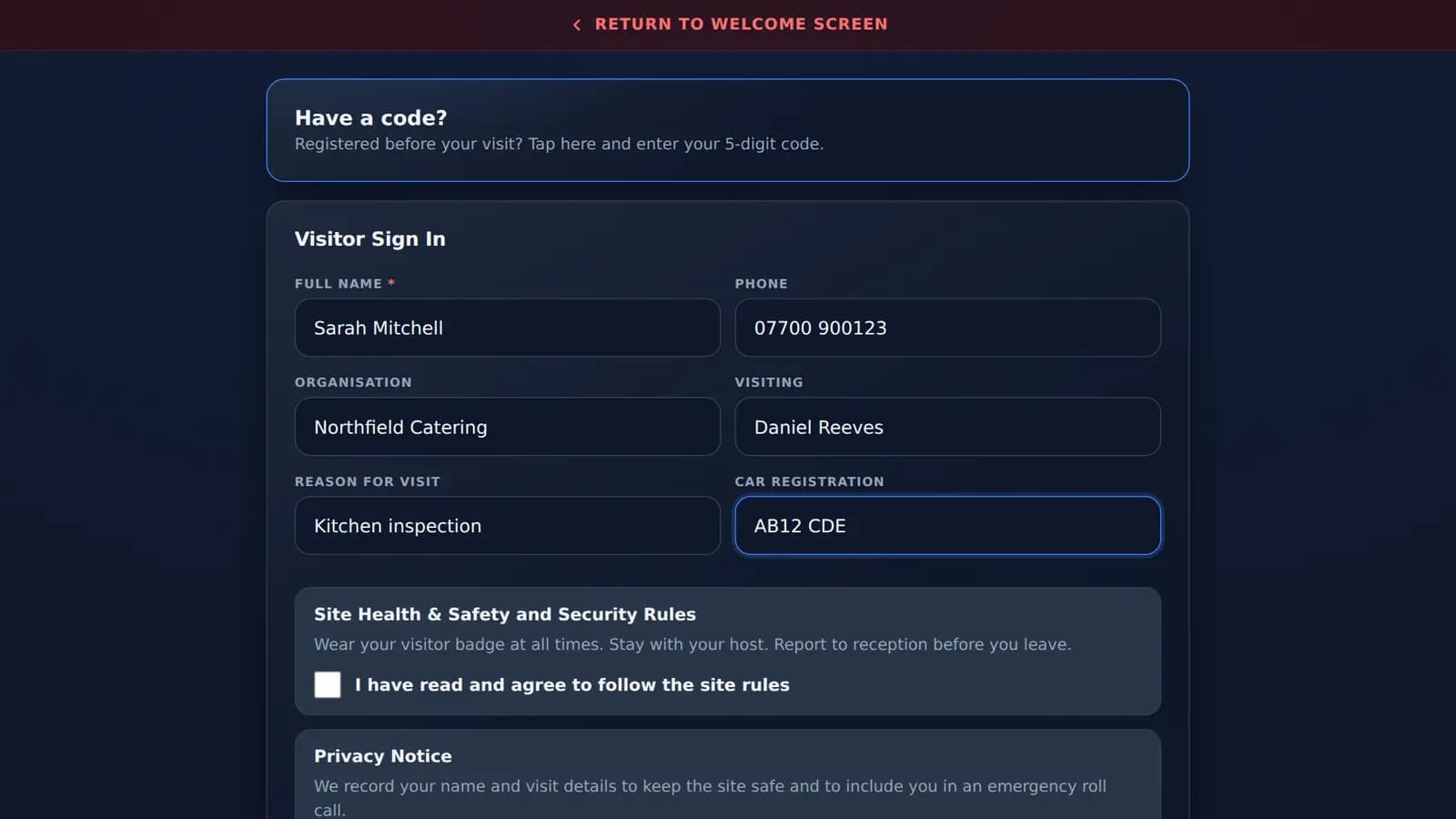 2
2Visitors add their details and agree to your site rules. Pre-registered visitors just type their code.
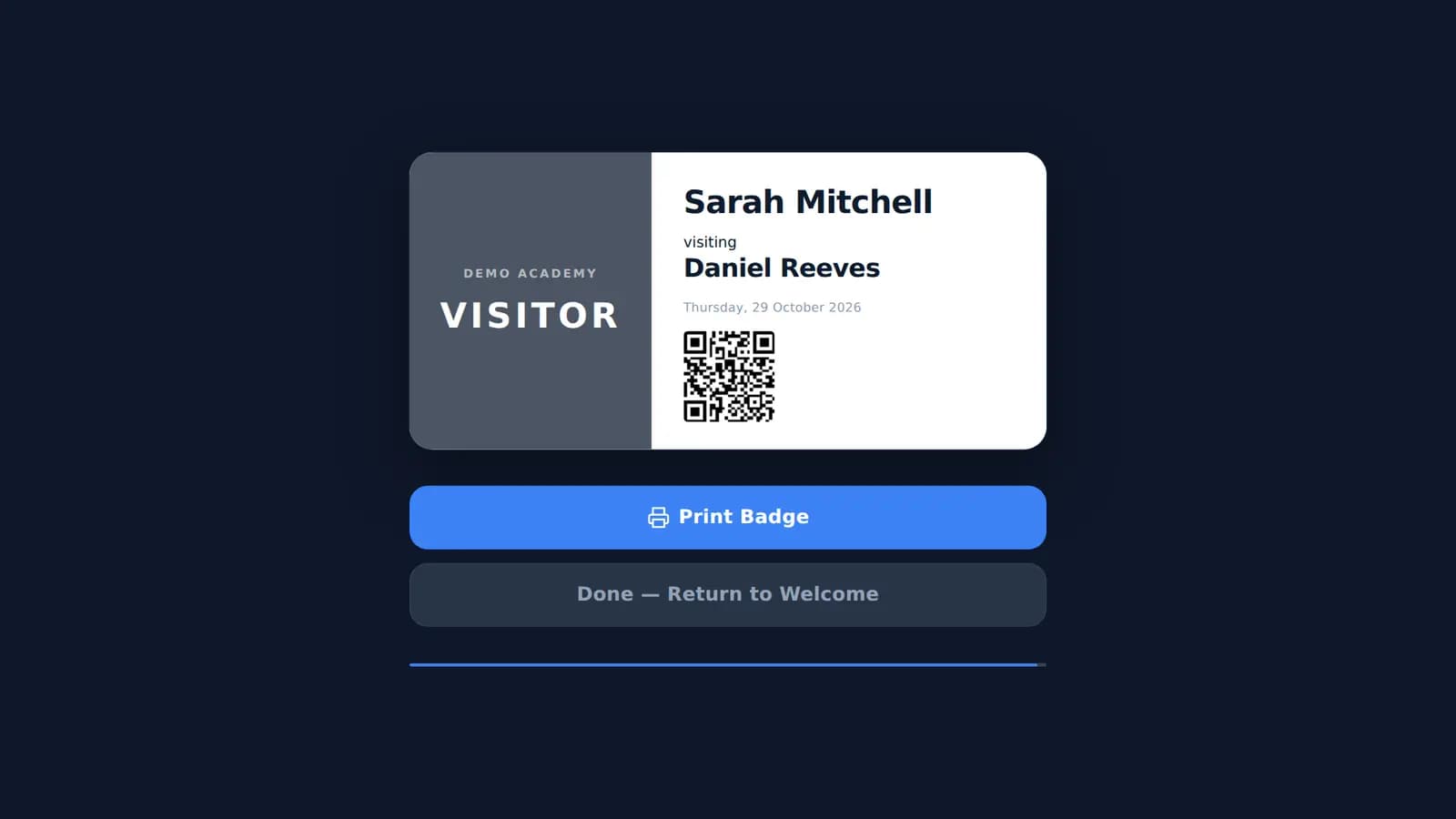 3
3The Brother printer prints a visitor badge with their name, host, the date and a QR code.
Build your visitor management kiosk
Pick the screen, how it mounts and the extras. The preview and the price update as you go.
Choose the screen
Both run Android 14, so the sign-in app runs on the screen itself.
Floor, wall or your own mount?
Badge printer and camera
Tap to add or remove. The printer sits on your reception desk.
The sign-in software
MassVisit by Mass Coms runs on the kiosk.

Staff, visitor and contractor sign-in, printed badges with a QR code, pre-registration and host emails, and a live list of who is on site for fire roll call.
See MassVisit on masscoms.com3-year plan: one site costs £998.00 over three years. Needs a Mass Coms subscription (one-off £299.00 setup), priced on masscoms.com/pricing. Software is billed by Mass Coms, not through this basket.
What the MassVisit software costs
MassVisit is £499.00 per site per year on a 3-year plan, however many visitors, staff or kiosks you have, and your first site is free in year one. It is part of the Mass Coms platform, which has its own subscription and a one-off £299.00 setup fee.
| One site | MassVisit |
|---|---|
| Year one | Free |
| Year two | £499.00 |
| Year three | £499.00 |
| Three-year total | £998.00 |
Each extra site is £499.00 a year from year one. Prices from Mass Coms, October 2026; the software is billed by Mass Coms, the kiosk hardware by TopAV.
Private, unlike a visitor book
Nobody can read the names above theirs, and records stay in the system, not on the front desk.
A badge for every visitor
Name, host, date and a QR code, printed and cut in seconds by the Brother QL-820NWBc.
No PC to hide or update
Android 14 is built into the iiyama screen. Power and one network cable, and it is ready.
Visitor sign-in kiosk questions
What is a visitor management system?
A visitor management system replaces the paper visitor book with an electronic sign-in system. Visitors, staff and contractors sign in on a touch screen at reception, the system prints a visitor badge, tells their host they have arrived, and keeps a live list of who is on site. MassVisit, the Mass Coms visitor management system this kiosk is built for, shares that list with fire roll call so you know who to account for in an evacuation.
Is an electronic sign-in system better than a paper visitor book?
For most receptions, yes. Anyone signing a paper visitor book can read the names, companies and car registrations above theirs, the book cannot tell a host their visitor has arrived, and in a fire someone has to carry it out and read it. An electronic visitor book keeps each visitor's details private, prints a badge, emails the host and gives you an up-to-date list of who is on site.
Do I need a badge printer?
You do if you want visitors to wear a badge, which most schools, healthcare sites and offices do. The Brother QL-820NWBc prints MassVisit visitor badges with the visitor's name, who they are visiting, the date and a QR code, and cuts each one automatically. It connects over Wi-Fi or a network cable, so it can sit anywhere on the reception desk with no cable to the kiosk.
Can staff and contractors sign in on the same kiosk?
Yes. MassVisit has separate staff, visitor and contractor sign-in on the same welcome screen, so one kiosk replaces the visitor book and the staff signing-in sheet. Everyone who signs in appears on the same who-is-on-site list used for fire roll call.
Do I need a PC with the kiosk?
No. Both iiyama screens are touch panel PCs with Android 14 built in, so the sign-in app runs on the screen itself. The only cables are power and, if you want it wired, a network cable; with a PoE switch that delivers 802.3bt power, one network cable does both.
Will the webcam work with my sign-in app?
The Logitech C920 is a standard USB webcam that clips to the top of the screen for visitor photos. Whether an app can use a USB camera depends on the app as well as the screen, so if you are using software other than MassVisit, ask us and we will test it with your app before you order.
Kitting out several sites, or want the kiosks delivered set up and signed in to MassVisit? Our team can supply, configure and install: talk to us.