
iiyama · iiyama ProLite S25 PoE signage series
iiyama S2425AS-B1P 24-inch commercial display
- Visa
- Mastercard
- American Express
- PayPal
Or 3 interest-free payments of £133.04 with PayPal Pay in 3.
Independently reviewed on TrustpilotSeen it cheaper? We price-match genuine like-for-like quotes. How it works
- Sourced through UK distribution
- UK manufacturer warranty
- UK-based engineers
- No import duty or customs charges
- GBP pricing, UK VAT invoices
A 24-inch Full HD small-format signage display powered over Ethernet, so one network cable carries both power and data, with Android 14 and iiSignage2 on board, a 500 cd/m2 IPS panel, landscape, portrait or face-up mounting and a 24/7 duty cycle.
TopAV buying advice
Is the iiyama S2425AS-B1P right for your reception?
One cable in, and the screen is live. That is the whole point of it.
Shortlist the S2425AS-B1P where getting power to the screen is the hard part. It runs on Power over Ethernet, so a single Cat cable from the switch carries both the electricity and the network and the display needs no outlet behind it at all. That suits shelf-edge and aisle displays, meeting-room door signs, queue and counter displays, hot-desk panels, information points and reception wayfinding, anywhere that cutting a wall for power would cost more than the screen. This is the larger of the two sizes in the range, at 500 cd/m2 on a Full HD IPS panel in a 28mm deep chassis at 4.24kg, rated for 24/7 running with Android 14 and iiSignage2 on board.
Reasons to shortlist it
- Power over Ethernet is the reason to choose this range. The gigabit RJ45 port is specified to IEEE 802.3at at up to 72W, so one Cat cable from a powered switch port carries both the supply and the network and the display needs no electrical outlet behind it. That removes an electrician, a cable route and often a permission to drill from the job.
- Android 14 runs on the display on an RK3576 octa-core processor with G52 MC3 graphics, 4GB of memory and 32GB of storage, with iiSignage2 on board, so playlists are scheduled and updated on the screen itself rather than on a player boxed in behind it. WiFi 802.11ax is there as well if a position has network but no powered port.
- The IPS panel is rated 500 cd/m2, a good deal brighter than an office monitor, and holds up in a lit shop, supermarket aisle, canteen or foyer. An anti-glare hard coating at 3H hardness with 25 per cent haze breaks up overhead reflections on a screen people walk past rather than sit in front of.
- The chassis is only 28mm deep at 549.5 x 336mm and 4.24kg, 6.15kg boxed, and it mounts landscape, portrait or face-up on the small-display pattern shown in the specification table. It is a one-person fit, and the shallow depth matters on a door frame, a shelf rail or a counter edge where anything thicker gets knocked.
- iiyama rates it for 24/7 non-stop operation with a 50,000 hour MTBF figure over a 0 to 40C operating range, and it draws 17.5W typical. Across a fleet of small screens that combination of duty cycle and running cost is what makes an estate viable.
Check before you choose
- Standby draw is 14W against 17.5W running, so switching a screen to standby saves very little. On an estate left idle overnight that is real money and real carbon for no benefit, so schedule the displays to power down through iiSignage2 rather than relying on standby to save anything. Off-state draw is 3.5W.
- The whole power budget for the display comes down the network cable, so the switch has to supply IEEE 802.3at power on the port the screen is plugged into, and the switch's total power budget has to cover every screen at once, not just each port in isolation. Check that figure with your network team before ordering a batch, and remember that a screen on a plain unpowered port will not come on.
- Static contrast on this size is quoted at 1000:1, lower than the 1500:1 of the 22-inch model in the same range, so dark backgrounds and photography hold a little less separation on it. At 500 cd/m2 it is also a lit-interior brightness rather than a window one: direct sunlight or a sunlit glazed frontage will wash it out, so measure the light at the actual position first.
See the 24" on your wall, to scale
On a phone, point your camera at the wall and see the 24" there at its real size. On a computer, upload a photo of the wall (or scan the QR code to take one with your phone and it will appear here) and drag the display around it to scale.
Not sure 24" is the right size for the room? The screen size calculator shows how far a 24" display carries for presentations, touch work and video.
What to plan before installing the S2425AS-B1P
01
Position and reading distance
Fix the position first and check it works as a sign rather than as a monitor: the panel is Full HD across a 24-inch nominal size, so text that reads comfortably at a desk may be too small for someone walking past at three or four metres. Then measure the light falling on the spot, because 500 cd/m2 suits a lit interior and not a sunlit window.
02
Network, power and cabling
Confirm with your network team that the switch port supplies IEEE 802.3at power and that the switch's total power budget covers every screen you plan to hang from it. Run one Cat cable to each position. Where a position has network but no powered port, WiFi 802.11ax gives a fallback for data, but the display will then need power supplied another way, so plan that before you commit to the layout. iiyama lists a 100 x 100 mm VESA pattern.
03
Mounting and content
Plan the bracket around a 549.5 x 336 x 28mm chassis at 4.24kg, 6.15kg boxed, on the mounting pattern in the specification table, and decide on landscape, portrait or face-up. Face-up positions collect dust and spills, so agree the cleaning routine. Then decide whether content runs on the built-in Android 14 system with iiSignage2 or from a local source over the HDMI input, and tell us if you want the brackets and the installation quoted with the screens.
Display price is for the panel. Installation and optional equipment are quoted separately. Purchase-order terms are available to approved education customers.
Build a quote you can compare
Include these details in your project enquiry so the quote covers the room as well as the screen.
- Number of displays, site postcode and required date.
- Furthest viewing distance and available wall space.
- Wall type, fixed mount or adjustable trolley, and cable routes.
- Laptop model, teaching apps, and any camera or Windows PC needs.
Ask for separate equipment, delivery, installation and licence costs, with a total including VAT. Confirm warranty coverage and any registration requirements before placing the order.
Complete your setup
What else the S2425AS-B1P needs
The price above is for the display on its own. A wall mount or trolley is a separate purchase, and installation is quoted per site. Add what you need here and it joins the same basket.
Choose a mount
Professional Installation
Want it installed by our AV experts? We offer professional on-site installation including mounting, cable management, and system configuration.
Compare your shortlist
iiyama S2425AS-B1P vs S2225AS-B1P: 24-inch or 22-inch?
Choose around the room and the content people need to read, not the model number.
| Feature | S2425AS-B1P | S2225AS-B1P |
|---|---|---|
| Screen Size | 24 in | 22 in |
| Resolution | 1920 x 1080 (Full HD) | 1920 x 1080 (Full HD) |
| Brightness | 500 cd/m² | 500 cd/m² |
| Contrast Ratio | 1000:1 | 1500:1 |
| Speakers | 2 x 5W | 2 x 5W |
| Power Consumption | 17.5 W | 17.5 W |
Specifications checked on 13 September 2026: iiyama ProLite S2425AS-B1P (opens in a new tab) and iiyama VisionCare warranty table (opens in a new tab). Buying advice is based on published specifications; confirm the supplied configuration for either model.
See this 24-inch display to scaleiiyama S2425AS-B1P specifications and documents
iiyama specifications (opens in a new tab)Choose a section to view its specifications.
Display (8)
- Panel Type
- IPS, Anti-Glare, Hard Coating (3H)
- Viewing Angle
- 178/178 degrees
- Screen Size
- 24 in
- Resolution
- 1920 x 1080 (Full HD)
- Brightness
- 500 cd/m²
- Contrast Ratio
- 1000:1
- Aspect Ratio
- 16:9
- Backlight Life
- 50,000 hours
Connectivity (3)
- Connectivity
- HDMI x1, USB-C (video out), RJ45 PoE (IEEE802.3at, 72W), WiFi 802.11ax/ac/a/b/g/n, Bluetooth 5.3
- USB Ports
- 1 x USB 2.0, 1 x USB 3.2 Gen1
- HDMI Inputs
- 1
Audio (2)
- Microphone
- 1 x built-in
- Speakers
- 2 x 5W
Power & Physical (6)
- Product Dimensions (W x H x D)
- 549.5 x 336.0 x 28.0 mm
- Size Band
- 20 - 31"
- Power Consumption
- 17.5 W
- VESA Mount
- 100 x 100 mm
- Weight
- 4.24 kg
- Shipping Weight
- 6.15 kg
Certifications & Warranty (1)
- Warranty
- 3 years iiyama VisionCare (onsite exchange, mainland UK and Ireland)
General (14)
- Response Time (GTG)
- 14 ms
- Content Management
- iiSignage² (on-board CMS)
- Max Non-stop Operating Time
- 24/7
- Processor
- RK3576 Octo-core, GPU G52 MC3
- Memory
- 4GB RAM / 32GB storage
- Operating Temperature Range
- 0 to 40 °C
- Power Supply
- External, DC 12V (PoE capable)
- Operating System
- Android 14
- Orientation
- Landscape / Portrait / Face-up
- RAM
- 4GB
- Storage
- 32GB
- Glass
- Anti-glare hard coating (3H), 25% haze
- Manufacturer part number
- S2425AS-B1P
- GTIN
- 4948570127184
Specifications are iiyama's published figures. Checked on 13 September 2026. The buying advice is our own, from specifying and installing equipment like this in UK classrooms and meeting rooms.
iiyama S2425AS-B1P questions answered
Who is the iiyama ProLite S2425AS-B1P best suited to?
Consider it for shelf-edge and aisle displays in a shop or supermarket, meeting-room door signs, queue and counter displays, hot-desk and room-booking panels, ticketing and information points, and reception wayfinding. It is aimed at positions where the screen is small, the content is simple and the installation has to be quick and tidy.
What does Power over Ethernet actually change?
It removes the electrical work. One Cat cable from a powered switch port carries both the supply and the network, so the screen needs no outlet behind it and the install is a single low-voltage cable run rather than a coordinated job between an electrician and a network engineer. On a rollout of dozens of small screens that is usually the largest single saving.
What kind of switch do I need?
One that supplies IEEE 802.3at power on the ports you will use, which is the standard iiyama specifies for this model at up to 72W. The figure that catches people out is the switch's overall power budget: a switch may support the standard on every port but not be able to run every port at full draw at once. Give your network team the number of screens and let them size the switch before you order.
Does it need a separate media player?
No. Android 14 runs on the display itself on an RK3576 octa-core processor with G52 MC3 graphics, 4GB of memory and 32GB of storage, with iiSignage2 on board for scheduling and updating playlists remotely. There is also one HDMI input and two USB ports, one USB 2.0 and one USB 3.2 Gen 1, if you would rather feed it from a local source.
How bright is it and where can it go?
It is rated 500 cd/m2, roughly double a typical office monitor and right for a lit retail interior, an aisle, a corridor, a canteen or a reception. It is not a window product: direct sun or a bright glazed frontage will wash it out. The anti-glare hard coating at 3H with 25 per cent haze breaks up reflected light from overhead fittings but cannot add brightness.
Can it be left running all the time?
Yes. iiyama rates the maximum non-stop operating time at 24 hours a day, seven days a week, with a 50,000 hour MTBF figure and a 0 to 40C operating range, which is what distinguishes it from a desktop monitor pressed into signage duty. Typical draw is 17.5W, so an always-on screen is cheap to run.
Is standby worth using overnight?
Barely. iiyama lists 14W in standby against 17.5W running and 3.5W off, so standby saves about a fifth of the draw rather than most of it. If the estate does not need to show anything overnight, schedule the screens to power down properly through iiSignage2 rather than dropping them to standby, and the saving will be a real one.
How shallow is it and can it be mounted portrait or face-up?
The chassis is 28mm deep, which is shallower than the 22-inch model in the same range despite the larger panel, and that matters on a door frame, a shelf rail or a counter edge where a thicker screen gets caught. iiyama lists landscape, portrait and face-up orientation. A face-up screen collects dust and anything spilled on it, so agree the cleaning routine at design stage.
How does it differ from the 22-inch S2225AS-B1P?
They share the panel technology, the Full HD resolution, the 500 cd/m2 brightness, the 14ms response, Android 14 with iiSignage2, the same processor, memory and storage, the WiFi, the 2 x 5W speakers, the HDMI input, the Power over Ethernet port, the mounting pattern, the 24/7 duty cycle, the 50,000 hour MTBF and the power figures. This one is larger at 549.5 x 336mm and heavier at 4.24kg against 2.80kg, but it is the thinner of the two at 28mm against 33.5mm. The trade is contrast: this size is quoted at 1000:1 against 1500:1, so choose the smaller model where dark content and photography matter more than size.
Trusted by thousands of customers
Explore recent installations
See recent installations supplied by StriveAV, TopAV’s parent company. Customer names are masked for privacy.
Alternative products
Closest matches in this category on price and capability. Not sure which way to go? Our technical team will talk it through.
Samsung QB24C 24" Full HD Signage Display
Allsee Technologies PF19HD8 19" Slimline Pro Advertising Display

Allsee Technologies PF22HD9 22" Slimline Pro Advertising Display
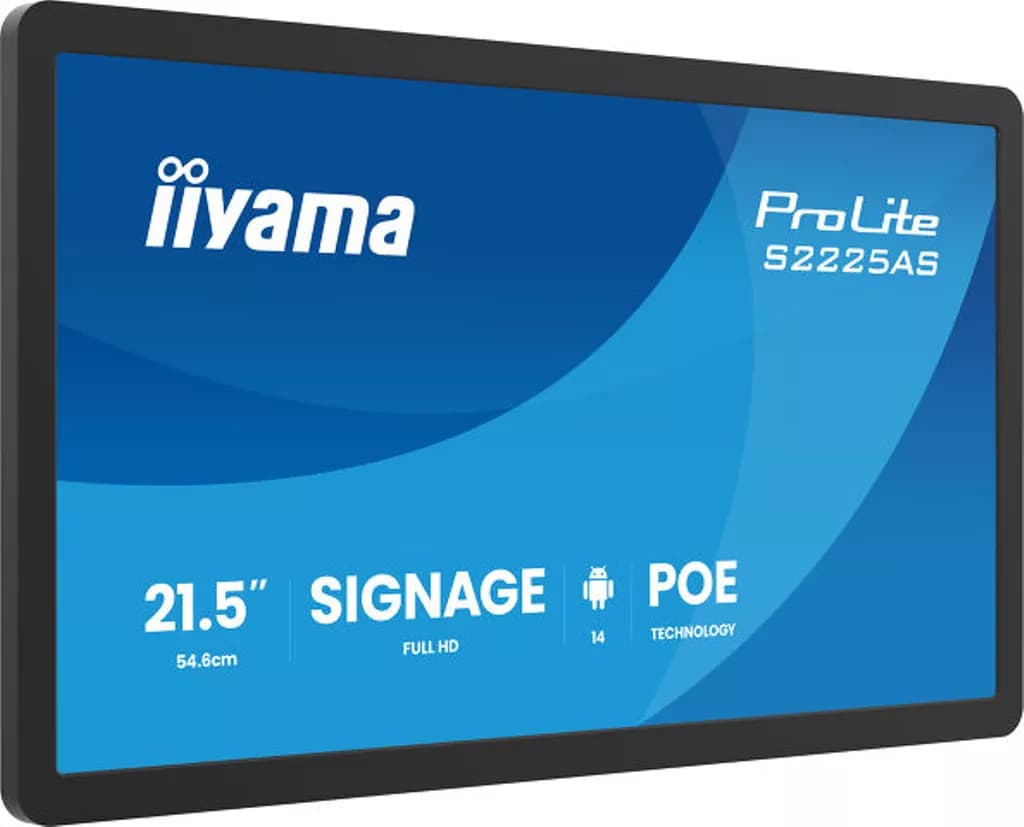
iiyama S2225AS-B1P 21.5" ProLite Small Format Signage Display
Need help specifying this for your space?
Ask Andrew. He knows the full catalogue and can advise on installation, mounting and compatible AV systems.
Buying the iiyama S2425AS-B1P from TopAV
Free standard mainland delivery
Stock and dispatch information are shown beside the live price. Delivery is separate from installation; confirm site access and any required delivery date with us.
Delivery options3-year manufacturer warranty
Ask us to confirm what the manufacturer cover includes and how service is arranged for your site. Unused items in original packaging can be returned within 14 days of delivery — see the returns policy for how business and consumer returns differ. Faulty items are covered under manufacturer warranty and by your statutory rights.
Returns termsCompare before committing
Already considering another brand or a larger screen? Compare the complete installed cost, your teaching software and long-term support requirements.
Browse other commercial displays