
ViewSonic · CDE UW series
ViewSonic CDE105UW 105-inch commercial display

ViewSonic Platinum Tier 1 Partner
We work closely with ViewSonic to secure competitive pricing for your project.
Buying multiple displays? Ask us for a tailored deal.
- Visa
- Mastercard
- American Express
- PayPal
Seen it cheaper? We price-match genuine like-for-like quotes. How it works
- In UK stock, ships from the UK
- UK manufacturer warranty
- UK-based engineers
- No import duty or customs charges
- GBP pricing, UK VAT invoices
A 105-inch 21:9 ultrawide commercial display at 5120 x 2160, with embedded Android 13, an OPS slot and 60W of audio, for boardrooms running wide-format meeting layouts.
TopAV buying advice
Is the ViewSonic CDE105UW right for your boardroom?
For the boardroom where one wide screen replaces two.
Shortlist this where a single continuous 21:9 canvas earns its place: a boardroom running a wide meeting layout with remote people, shared content and chat side by side, or a control-room style wall. Note that our screen-size visualiser assumes a 16:9 panel, so it will not represent this display correctly - work from the physical width of 2489.9 mm and the height of 1081.4 mm instead, and check the wall against those numbers before you commit.
Reasons to shortlist it
- 5120 x 2160 across a 21:9 panel, which ViewSonic states is 33% more screen area than a 16:9 display of the same diagonal, so remote participants, content and chat can sit side by side rather than stacked.
- Four rear HDMI 2.1 inputs, the first carrying the full 5120 x 2160 at 60Hz and the other three 3840 x 2160 at 60Hz, plus DisplayPort at 5120 x 2160, so a room can keep several sources live at native resolution.
- One USB-C on the rear carries DisplayPort 1.2, USB 2.0 data, 100M Ethernet and dynamic charging, rated at 100W with no slot-in PC fitted and 65W once one is installed.
- 60W of built-in audio as two 20W drivers plus a 20W subwoofer, which removes the soundbar from a room this size, and two camera plates are supplied in the box for a ViewSonic conference camera or bar.
- An 80-pin OPS slot and a separate Wi-Fi module slot, so a Windows session or wireless connectivity can be added inside the chassis rather than bolted to the back of it.
Check before you choose
- This is not a touch display. ViewSonic publishes no touch specification for this model, so nobody can write on it or drive it by hand; annotation needs an interactive panel instead.
- At 53.05 kg net, 74 kg packaged and 2489.9 mm wide, this is a surveyed installation. Confirm the wall structure and fixings, check that the 2668 mm crate can reach the room, and plan a lift with more than two people.
- The embedded platform runs the launcher and remote management, not a desktop. A full Windows session needs a slot-in PC bought separately, and fitting one reduces USB-C charging to the lower 65W figure.
What to plan before installing the CDE105UW
01
Wall width & sightlines
Measure against 2489.9 mm of width and 1081.4 mm of height, not against a 16:9 outline, and check the longest viewing distance and the smallest text people must read.
02
Structure, access & lift
Have your installer verify the wall will carry 53.05 kg plus the mount, and check the crate route: doorways, lifts and turns. Plan power for a 405W display and a network drop. ViewSonic lists a 1000 x 600 mm VESA pattern.
03
Compute, camera & control
Decide whether you need a slot-in PC in the OPS slot, the Wi-Fi module, and a camera on one of the supplied plates. Tell us which, and we will quote them with the display.
Display price is for the panel. Installation and optional equipment are quoted separately. Purchase-order terms are available to approved education customers.
Build a quote you can compare
Include these details in your project enquiry so the quote covers the room as well as the screen.
- Number of displays, site postcode and required date.
- Furthest viewing distance and available wall space.
- Wall type, fixed mount or adjustable trolley, and cable routes.
- Laptop model, teaching apps, and any camera or Windows PC needs.
Ask for separate equipment, delivery, installation and licence costs, with a total including VAT. Confirm warranty coverage and any registration requirements before placing the order.
Complete your setup
What else the CDE105UW needs
The price above is for the display on its own. A wall mount or trolley is a separate purchase, and installation is quoted per site. Add what you need here and it joins the same basket.
Choose a mount
Professional Installation
Want it installed by our AV experts? We offer professional on-site installation including mounting, cable management, and system configuration.
ViewSonic CDE105UW specifications and documents
ViewSonic specifications (opens in a new tab)Choose a section to view its specifications.
Display (8)
- Screen Size
- 105 in
- Aspect Ratio
- 21:9
- Panel Type
- VA LCD with DLED backlight
- Viewing Angle
- 178 degrees
- Touch Capability
- Non-touch
- Panel Size
- 105"
- Resolution
- 5K 5120x2160
- Brightness
- 500 nits (typ.)
Connectivity (4)
- USB-C
- 1 (100W power delivery)
- Other Ports
- DisplayPort, USB-A (2.0/3.2 Gen1), RJ45, RS-232, audio in/out
- HDMI Inputs
- 4 x HDMI 2.1 rear (1 at 5120x2160 60Hz, 3 at 3840x2160 60Hz)
- USB-C Ports
- 1 rear (DP 1.2, USB 2.0, 100M Ethernet, dynamic PD: 100W without OPS, 65W with OPS)
Audio (1)
- Speakers
- 20W x 2 + 20W subwoofer
Power & Physical (2)
- Size Band
- 100"+
- VESA Mount
- 1000 x 600 mm
Certifications & Warranty (1)
- Warranty
- 36 months
General (9)
- Response Time
- <14 ms
- Expansion
- OPS slot, Wi-Fi module slot
- Operating Hours
- 24/7
- Operating System
- Android 13 (embedded)
- RAM
- 8GB DDR4
- Storage
- 128GB (eMMC)
- Orientation
- Landscape & Portrait
- Manufacturer part number
- CDE105UW
- GTIN
- 0766907031409
Specifications are ViewSonic's published figures. Checked on 13 September 2026. The buying advice is our own, from specifying and installing equipment like this in UK classrooms and meeting rooms.
ViewSonic CDE105UW questions answered
Who is the ViewSonic CDE105UW for?
Consider it for a boardroom, an executive meeting room or a control-room style wall where a single continuous 21:9 screen is worth more than a 16:9 panel of similar width. ViewSonic positions the aspect ratio for wide meeting layouts that show remote participants, shared content and chat at the same time.
Is the CDE105UW a touch screen?
No. ViewSonic publishes no touch specification for this model, so you cannot write on it or operate it by hand. If people need to annotate directly on the screen, choose an interactive panel instead.
Will the screen-size visualiser show this display accurately?
No. The visualiser assumes a 16:9 panel and this display is 21:9, so the outline it draws will be the wrong shape. Size it from the published dimensions instead: 2489.9 mm wide by 1081.4 mm high by 77 mm deep, plus clearance for the mount.
What resolution and aspect ratio does it have?
5120 x 2160 in a 21:9 aspect ratio, on a VA LCD panel with a DLED backlight, 500 nits typical brightness and a 5000:1 typical contrast ratio. Content authored for 16:9 will either letterbox or need re-authoring for the wider canvas.
What does it run, and can I manage it remotely?
It runs embedded Android 13 on an octa-core processor with 8GB DDR4 of memory and 128GB of eMMC storage, with ViewSonic Manager for remote device management and Revel Digital support. That platform drives the launcher and signage, not a Windows desktop.
Can I add a Windows PC?
Yes, through the 80-pin OPS slot, which takes a slot-in PC bought separately. Fitting one has one side effect worth planning for: USB-C charging is dynamic and drops from 100W with the slot empty to 65W with a slot-in PC installed.
How much power does one USB-C cable deliver to a laptop?
Up to 100W with the OPS slot empty, and 65W once a slot-in PC is fitted, alongside DisplayPort 1.2 video, USB 2.0 data and 100M Ethernet on the same cable. A laptop that needs more than the figure that applies to your configuration will still want its own charger.
Does it need a separate soundbar or microphone?
Audio is built in as two 20W drivers plus a 20W subwoofer, 60W in total, which is usually enough for a boardroom. Microphones are not built in, so plan a conference camera or bar; two camera plates are supplied in the box for a ViewSonic camera or video bar.
What does installation involve?
Treat it as a surveyed job. The panel is 53.05 kg net and 74 kg packaged, the crate is 2668 mm long, and the wall has to carry the display plus the mount. Confirm structure, fixings and the access route, allow more than two people for the lift, and ask us to quote installation with the display.
Is the listed price an installed price?
No. The listed price is for the display. Ask for an itemised quote covering the mount, installation, cabling, any slot-in PC, the Wi-Fi module and any camera you need, and compare the total including VAT and delivery.
Trusted by thousands of customers
Explore recent installations
See recent installations supplied by StriveAV, TopAV’s parent company. Customer names are masked for privacy.
Alternative products
Closest matches in this category on price and capability. Not sure which way to go? Our technical team will talk it through.
Samsung QPDX-5K 105" Professional Smart Signage Display
Samsung QH98C 98" 4K UHD Smart Signage
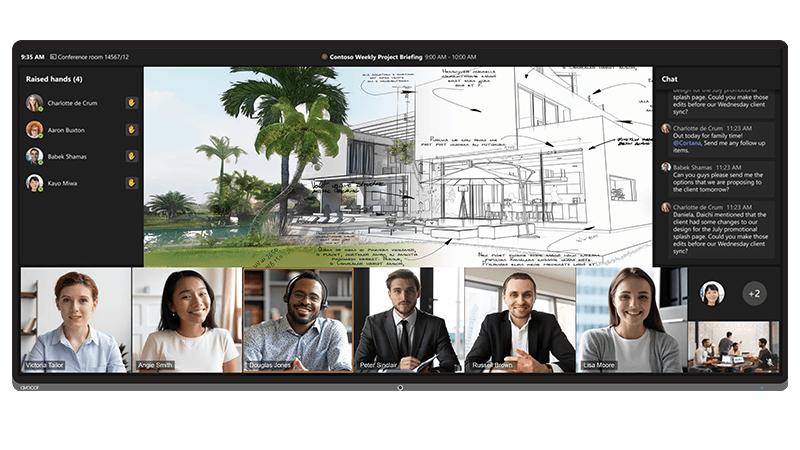
Avocor AVL-1050-D 105-inch 21:9 L Series Non-Touch Display
Samsung QM98T-B 98" 4K Signage Display
Need help specifying this for your space?
Ask Andrew. He knows the full catalogue and can advise on installation, mounting and compatible AV systems.
Buying the ViewSonic CDE105UW from TopAV
Free standard mainland delivery
Stock and dispatch information are shown beside the live price. Delivery is separate from installation; confirm site access and any required delivery date with us.
Delivery options3-year manufacturer warranty
Ask us to confirm what the manufacturer cover includes and how service is arranged for your site. Unused items in original packaging can be returned within 14 days of delivery — see the returns policy for how business and consumer returns differ. Faulty items are covered under manufacturer warranty and by your statutory rights.
Returns termsCompare before committing
Already considering another brand or a larger screen? Compare the complete installed cost, your teaching software and long-term support requirements.
Browse other commercial displays