
Barco
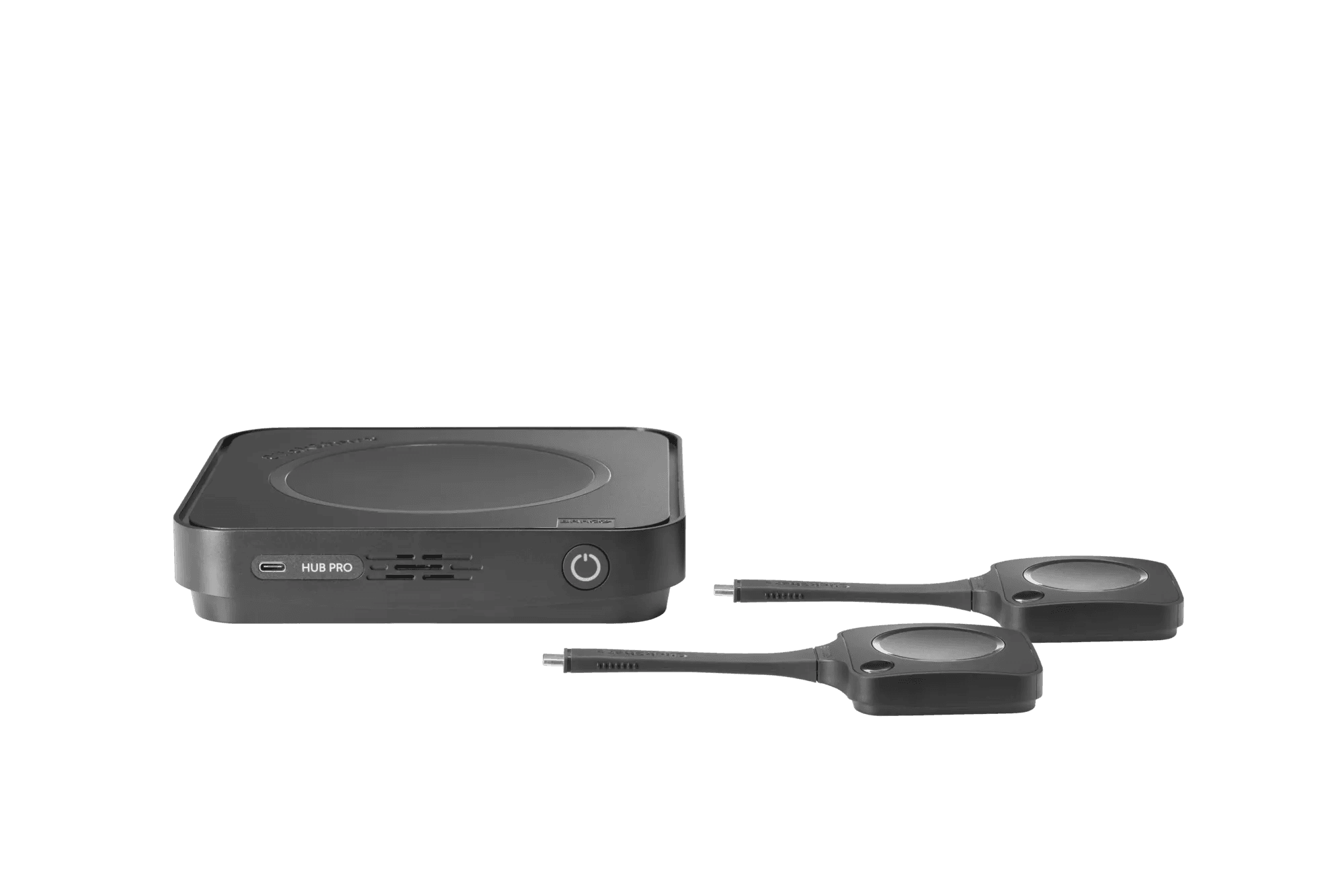
Barco ClickShare Hub Pro (EU) with 2 Buttons
£3,007.37inc. VAT
In stock
UK stockSeen it cheaper? We price-match genuine like-for-like quotes. How it works
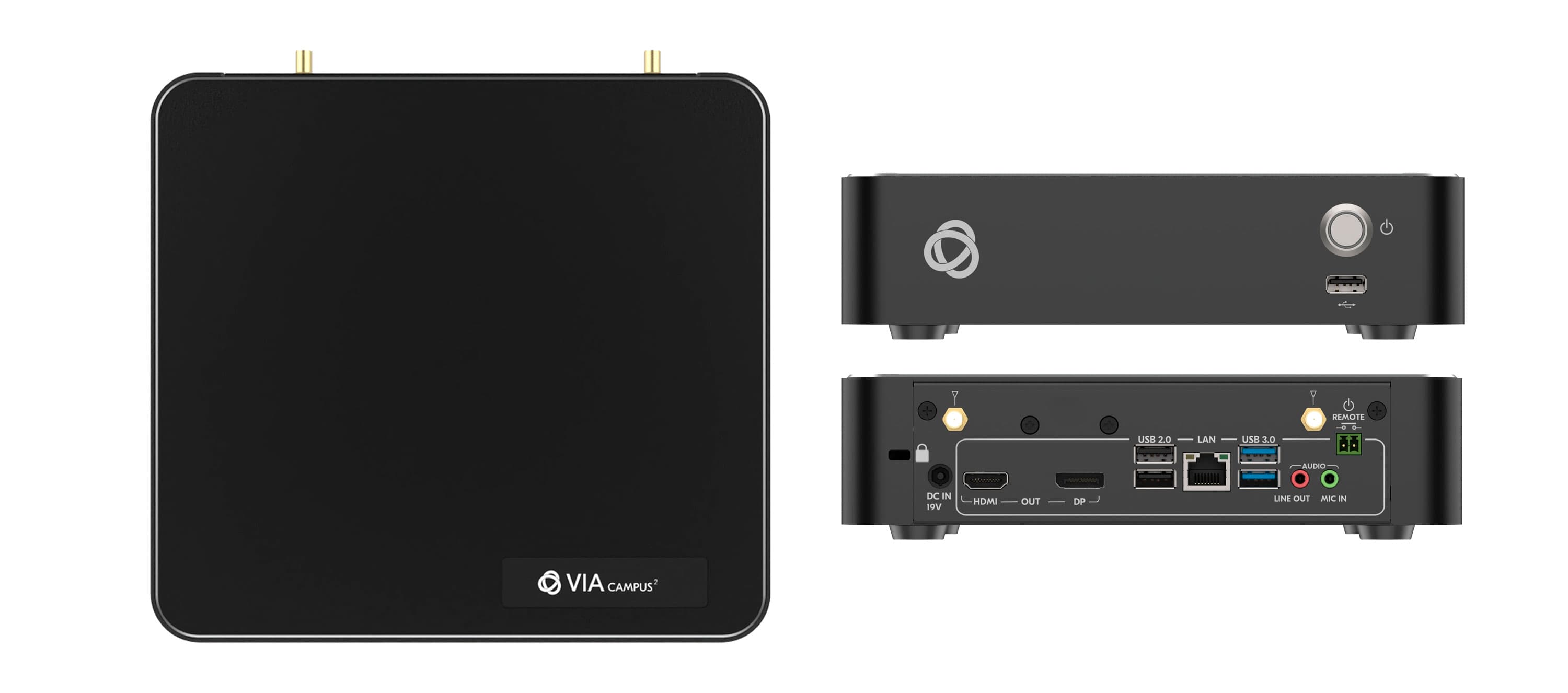
VIA Campus² PLUS is a simultaneous wired and wireless presentation and collaboration solution that makes it easier to get actual work done during meetings. VIA Campus² PLUS delivers all the outstanding features found in the VIA Campus² with the addition of an HDMI™ input for simple and seamless wired connectivity. With any laptop or mobile device, users can view, edit and comment on documents in real time and record sessions. Kramer's new VIA 4.0 is all about the end user. The new VIA application UI is intuitive, user-friendly and much easier to use. VIA 4.0 enables any user, including guests, to easily and securely connect and automatically disconnect at the end of the session. Meeting participants can display or stream full, uninterrupted video (up to 4K@30Hz) from their device, and even play YouTube® videos in full frame rate. VIA Campus² PLUS can show up to six user screens on a single main display and 12 on two displays. Users can also view the main display on their own device. VIA Campus² PLUS features iOS mirroring via AirPlay™, Windows & Android mirroring via Miracast™, as well as ChromeBook mirroring. The shared screen sizes are automatically adjusted based on their respective source, and can be resized manually by the user when needed. VIA Campus² PLUS supports 3rd party conferencing and office apps, such as Microsoft Office®, Teams® (requires an upgrade to Windows 11 license as the device ships with Windows 10), SkypeforBusiness®, Zoom®, GoToMeeting®, and WebEx®. Manufacturer part number VIA-CAMPUS2-PLUS.
Built-In isolated Wi-Fi and LAN.
Easy and Effective Wireless Connectivity - Built-in Wi-Fi gives you two setup options for enabling meeting participants to wirelessly join the meeting. After setting a wired connection from your VIA device to your local corporate LAN you can do one of the following: use the built-in VIA Wi-Fi to create a guest network to which participants can connect or use the built-in VIA Wi-Fi as a Miracast receiver.
Automatically stops presentation when leaving the room.
4K@30 HDMI Wired Input - Enables hard-wiring your computer or other HDMI compatible device such as a camera, multimedia player or computer. Note: Does not support HDCP signals.
60fps Streaming Multimedia - Share up to 4K wireless video streaming (using the VIA app Multimedia feature).
One 4K@30 (RGB) HDMI output and one 4K@30 DisplayPort output.
Remote Power Control - via a relay port.
iOS, Android, Chromebook® and Miracast® Mirroring.
Optimized for Video Conferencing - Room devices driver feature enables you to wirelessly select the professional grade camera and AV in your meeting room for your VC calls.
Calendar widget on the wallpaper for instant connectivity within one click.
Choose a section to view its specifications.
Estimated delivery 24 Oct - 28 Oct. UK mainland delivery only. Some large or made-to-order items carry longer lead times, shown on the product page.
Unused items in original packaging can be returned within 14 days of delivery — see the returns policy for how business and consumer returns differ. Faulty items are covered under manufacturer warranty and by your statutory rights.
This item is sourced through UK distribution and ships to you from within the UK, so the order never crosses a customs border.
The manufacturer warranty is honoured here in the UK. If something fails, you deal with us, not with an overseas seller in another time zone.
Our own UK-based engineers install, commission and support what we sell, and can attend site when a system needs hands on it.
Delivered within the UK mainland, so there is no import duty, customs charge or courier handling fee waiting for you on delivery.
Prices are in pounds sterling with proper UK VAT invoices, and purchase orders are accepted from approved education accounts: no currency conversion and no surprises at the door.
Pay securely by card. Education customers can apply for a 30-day purchase order account.
Schools, colleges, sixth forms, universities and multi-academy trusts can order on invoice, with no card payment required. Purchase orders and credit terms are for education customers only.
All transactions are processed over an encrypted, secure checkout.
Closest matches in this category on price and capability. Not sure which way to go? Our technical team will talk it through.
Ask Andrew. He knows the full catalogue and can advise on installation, mounting and compatible AV systems.
Every review is collected independently by Trustpilot from people who have bought from us. Read them there →
We use essential cookies to run the site, and analytics cookies to understand how it's used. Analytics is on by default — switch it off here, or any time from Cookie settings. Advertising cookies are only set if you accept. See our Cookie Policy.